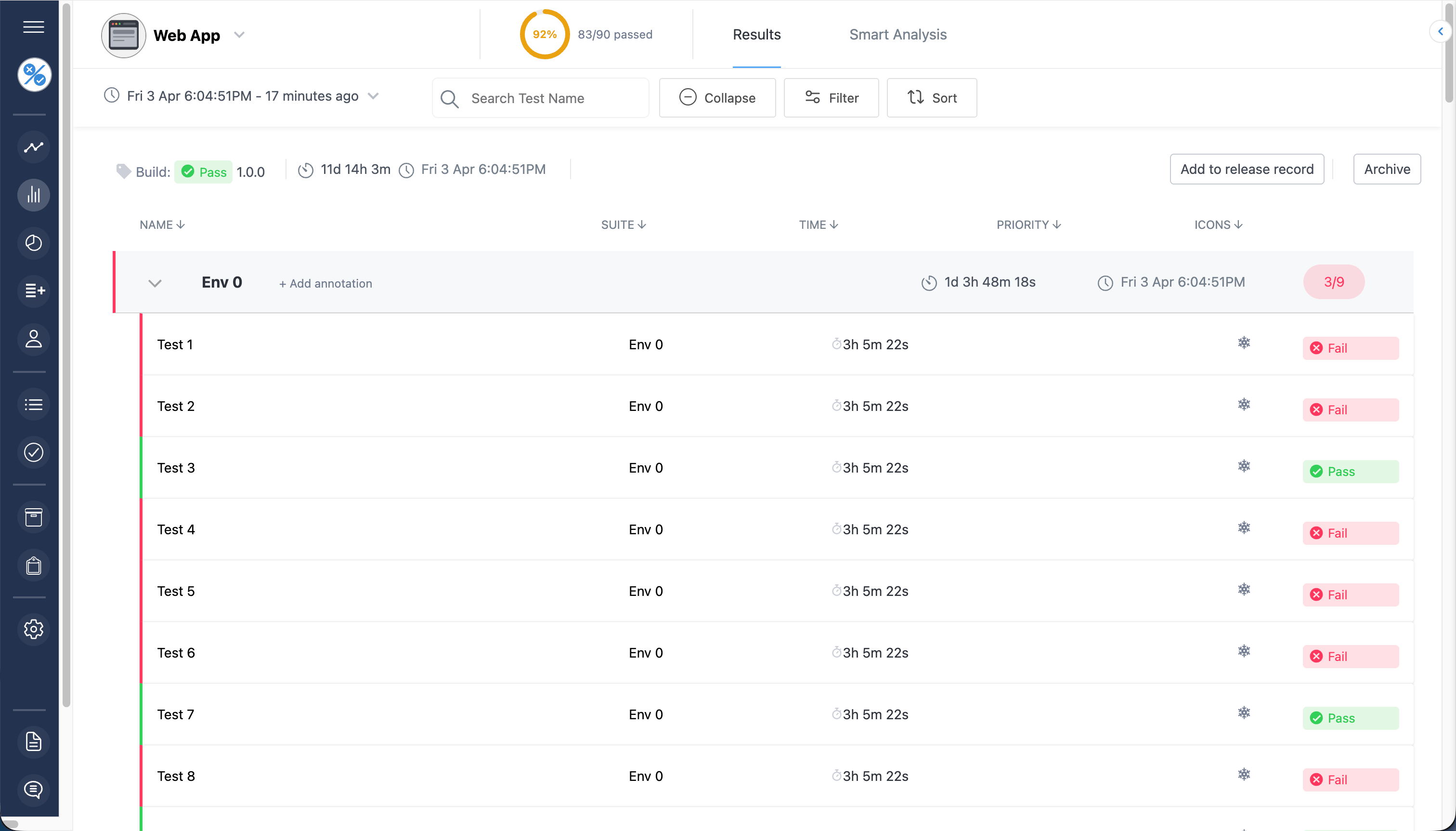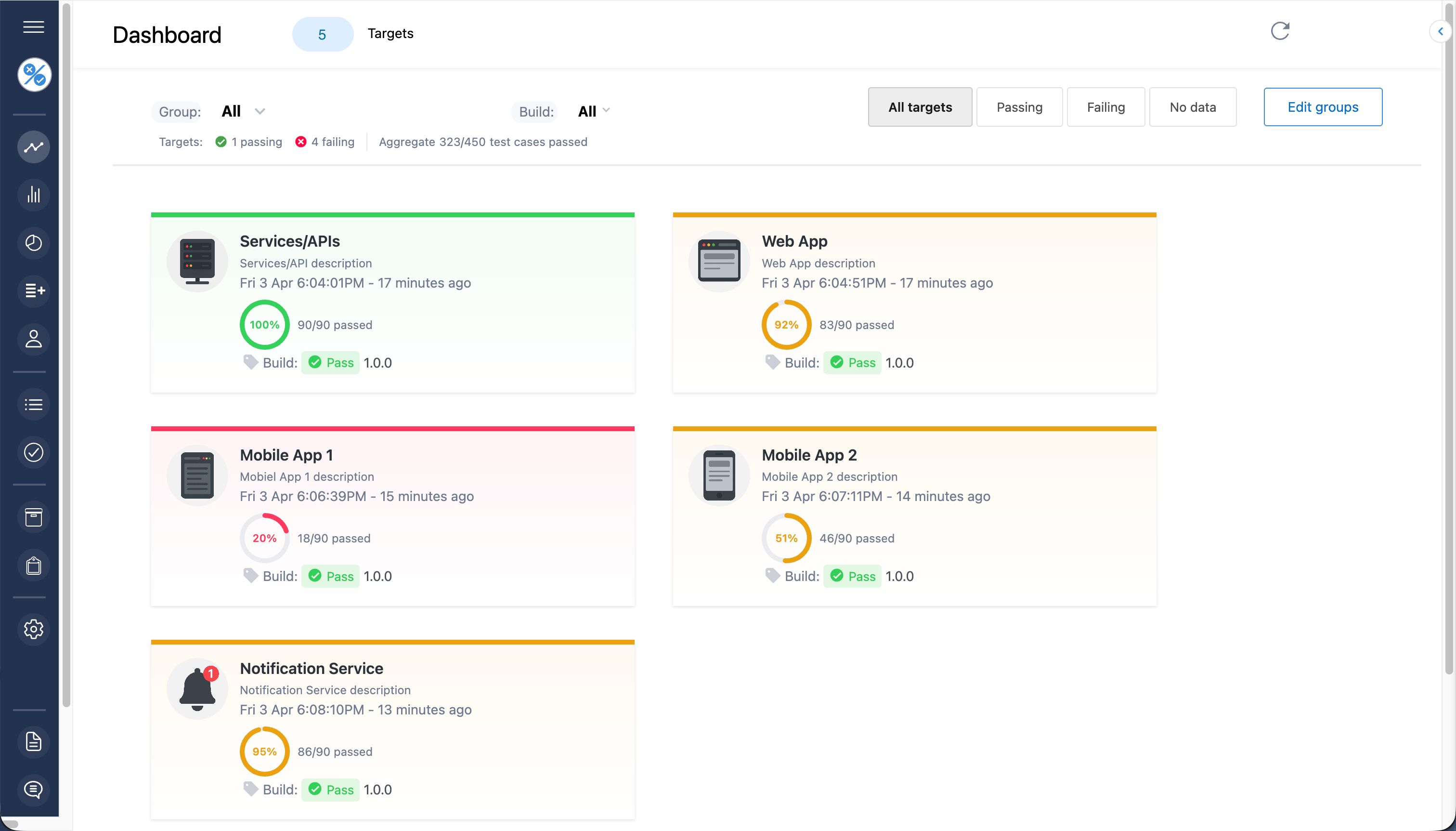








Find flaky tests, regressions, and failures instantly—without digging through logs. Track and retain results across every run and system.
No time limit on free plan

Trusted by teams at
Results at a glance
Bring clarity to the automated tests running across your systems. Store test results and related data including logs, screenshots and files.
Know what's being tested. Improve stakeholder visibility. Easy to maintain, secure and scalable.


Smart analysis
Release with assurance and save time with automated regression analysis. Choose to see only what's changed between test runs. Quickly isolate the time an issue was introduced and relax knowing flaky tests are automatically flagged up.
Make deployment decisions and feedback failures from your continuous integration pipeline based on test results data using the Tesults API.
Integrations & alerts
Maintain uptime and monitor critical production services effectively by enabling notifications and alerts. Avoid notification fatigue by linking appropriate teams to failures for specific tests.

More than visual reporting and dashboards
Structured API endpoints let you find flaky tests, regressions, and failures instantly — from CI pipelines, AI agents, or any automated workflow.
CI failure diagnosis
Get an instant plain-language explanation of any test run — root cause, failure patterns, and the tests that failed — without digging through logs.
Call /insights/explain-run from your CI pipeline or AI agent and get a structured answer in one request.
Flaky test detection
Automatically identify tests that alternate between pass and fail across runs. Get failure rates, last failure timestamps, and classifications — no manual analysis needed.
Call /insights/flaky-tests to get a ranked list of unstable tests across your last 10 runs, filtered by any time window.
Regression detection
Compare any two consecutive runs and get an immediate delta: which tests newly failed, which were resolved, and which are continuing to fail.
Call /insights/what-changed to surface regressions the moment they appear — without pulling and diffing raw results yourself.
MCP
With the Tesults MCP server configured, Claude can directly query your test data. No copying error logs into chat, no hunting through dashboards — just ask in plain English.
Works in Claude Desktop, Claude Code, Cursor, and any MCP-compatible AI tool. One token, one configuration, your entire test history available in natural language.
Set up MCP →Get setup in minutes
Libraries for popular languages — integrate with any test framework, including custom ones
What customers say
"Tesults is our dashboard of choice. We've rolled it out to the team."

"This is wonderful! The APIs and integrations are very useful for us."

"Brings the fruits of test automation to life."
Real-world impact
Core capabilities
Superior test case analysis. Detail and granularity like never before. Most failed test cases in a given period, individual test case breakdowns and more.
Automatic AI powered test case insights for automated test results. Generate manual test cases from screenshots.
Access your test results and dashboards on the go with the Tesults mobile app on iOS and Android.
Help